Network and Subnet
A Network is a virtual private network on LANIT Cloud — analogous to a VPC on other platforms. Each account can create several independent Networks to separate workloads (production, staging, internal, DMZ…). Inside a Network you create one or more Subnets — the specific IP ranges handed out to VMs.
Terminology
| Concept | Meaning |
|---|---|
| Network | Internal virtual network, not routed directly to the Internet |
| Subnet | A CIDR range inside a Network, handed out to VMs via DHCP or as a static IP |
| Gateway | The subnet's exit IP (usually the first or last address of the range) |
| DHCP | Auto-assign IPs to VMs that attach to the subnet |
| Allocation Pool | Limits the IP range that DHCP can hand out (reserves the rest for static IPs) |
Create a Network
Step 1. Open the Network page
Go to Network → Networks and click + Create Network.

Step 2. Name the Network
Type a memorable name (e.g. prod-net, staging-net, dmz-net) in Tên Network, optionally add a Mô tả (description), then click Create Network.

The new Network has no subnet yet — add a subnet before VMs can attach to it.
Add a Subnet to the Network
Step 1. Open the Create Subnet page
In the Network list, click the + button next to the Network — the portal opens a dedicated Tạo subnet (Create subnet) page, not a dialog.

Step 2. Configure the subnet
| Field | Meaning | Example |
|---|---|---|
| Tên subnet | Memorable name | app-tier |
| Địa chỉ network | CIDR for the subnet | 192.168.100.0/24 |
| Gateway | Internal gateway IP. Leave empty and the system uses the first usable IP in the CIDR | 192.168.100.1 |
| Tắt gateway | Tick if the subnet has no gateway (network isolation, rare) | – |
| Bật DHCP | Enable to auto-assign IPs to VMs (on by default) | On |
| Allocation pools | DHCP-managed IP range — click + Thêm allocation pool to add more ranges | 10.0.0.10 – 10.0.0.200 |
| DNS server | DNS servers for VMs on this subnet — pre-filled with 8.8.8.8 and 1.1.1.1 by default, editable | 8.8.8.8, 1.1.1.1 |
| Host routes | Static routes added to VMs — click + Thêm host route to add more | – |

A VM attached to multiple subnets that all have a gateway will end up with multiple default routes → unpredictable routing and possibly lost connectivity. Safe rule:
- One default gateway per VM — only the "Internet-bound" subnet should have a gateway.
- Other internal subnets tick Tắt gateway, or simply don't attach them to that VM.
Step 3. Confirm
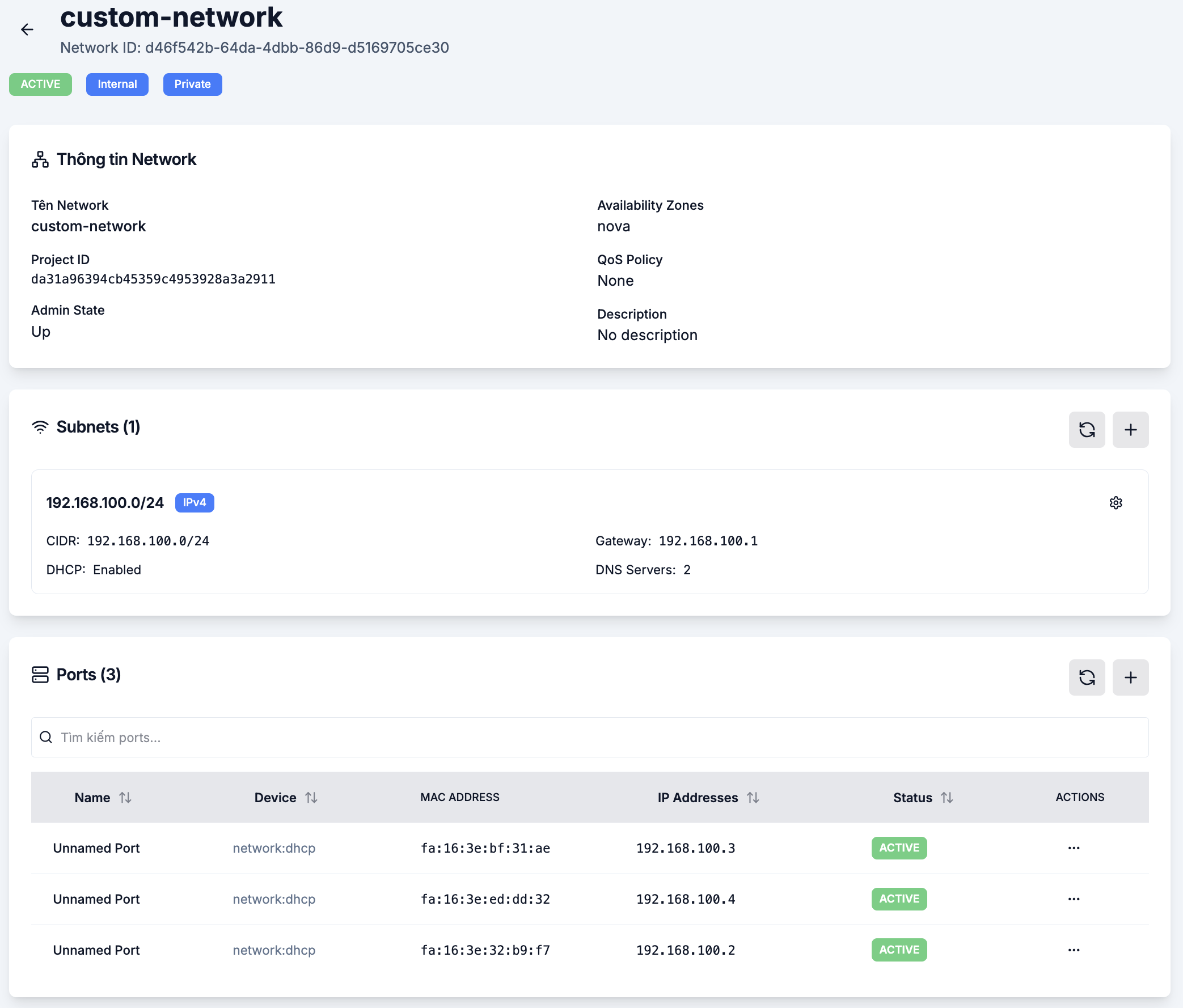
Click Tạo at the bottom of the page. The new subnet appears under Subnets on the Network's detail page — click into the Network to view, edit or delete it. From now on, VMs can attach to it during creation or via Network Interface.
Common topologies
A single subnet
For small projects — all VMs share 10.0.0.0/24, leave through the Router with S-NAT enabled.
Application + database split
app-subnet(10.0.1.0/24) — app VMs, gateway on, Floating IPs attached.db-subnet(10.0.2.0/24) — database VMs, no Floating IP, no gateway → only the app VMs in the same Network can reach them.
Dedicated management network
Add mgmt-subnet (10.0.99.0/24) for SSH/RDP and monitoring, separate from the data plane to shrink the attack surface.
See also
- Router management — connect Subnets to the Internet.
- Floating IP — allocate public IPs for VMs.
- Security Group — firewall control.
- Network Interface on a VM — attach multiple subnets to the same VM.